

What you’ll learn
A prompt is the instruction you give to Claude. The clearer your direction, the better the response. This module shows you how to structure prompts that get useful results on the first try.Structure prompts
Use frameworks to organise your requests
Apply patterns
Copy proven formats for common tasks
Enrich inputs
Add files, Projects, and context to your prompts
Extend outputs
Use Artifacts and extended thinking for complex work
What is a prompt?
A prompt is the way you tell an AI what you want and how you want the result to look. A good prompt doesn’t just say what to do. It often includes context, tone, format, or constraints to guide the result. Think of it as having a conversation with a very knowledgeable assistant who needs clear directions to help you best. The more precise you frame your request and prompt, the more accurate your responses can be.Essential prompting frameworks
These three frameworks cover most workplace prompting scenarios. Pick the one that matches your task type.CLEAR Framework — Great for most interactions
CLEAR Framework — Great for most interactions
Use CLEAR when you need Claude to produce something specific, like a report, email, or summary.
1
Context
What is the purpose or situation?
Example: “Our sales team is struggling with quarterly targets”
2
Length
How long should the response be?
Example: “I need a concise 2-page proposal for senior management”
3
Examples
What style or format should it follow?
Example: “Follow our standard business case format with executive summary”
4
Audience
Who will read this?
Example: “Sales director, regional managers, and C-suite executives”
5
Request
What exactly do you want as output?
Example: “Create a competitive analysis and action plan to improve Q3 performance”
PREP Framework — Great for creating content
PREP Framework — Great for creating content
Use PREP when you need Claude to write or create something from scratch.
1
Purpose
What is the goal of this content?
Example: “Train a new employee on workplace safety”
2
Role
Who should Claude act as?
Example: “Act as a workplace safety trainer”
3
Expectations
What format or style should it follow?
Example: “Create a checklist with explanations for each point”
4
Parameters
What constraints should it consider?
Example: “Maximum 15 items, use simple language, include emergency procedures”
STAR Framework — Great for problem-solving
STAR Framework — Great for problem-solving
Use STAR when you need Claude to help you work through a challenge or make a decision.
1
Situation
What is the current business challenge?
Example: “Our customer support team is overwhelmed with 40% more tickets since product launch”
2
Task
What needs to be accomplished?
Example: “Need to reduce response times to under 4 hours while maintaining quality scores above 85%”
3
Action
What options are you considering?
Example: “Consider automation, staffing options, or process improvements”
4
Result
What outcomes define success?
Example: “Want to achieve target response times within 8 weeks. Help me evaluate these options and create an implementation roadmap.”
Test your understanding
Test your understanding
Common prompting patterns
These five patterns work across most business tasks. Copy the structure and swap in your own details.Test your understanding
Test your understanding
Enriching your prompts
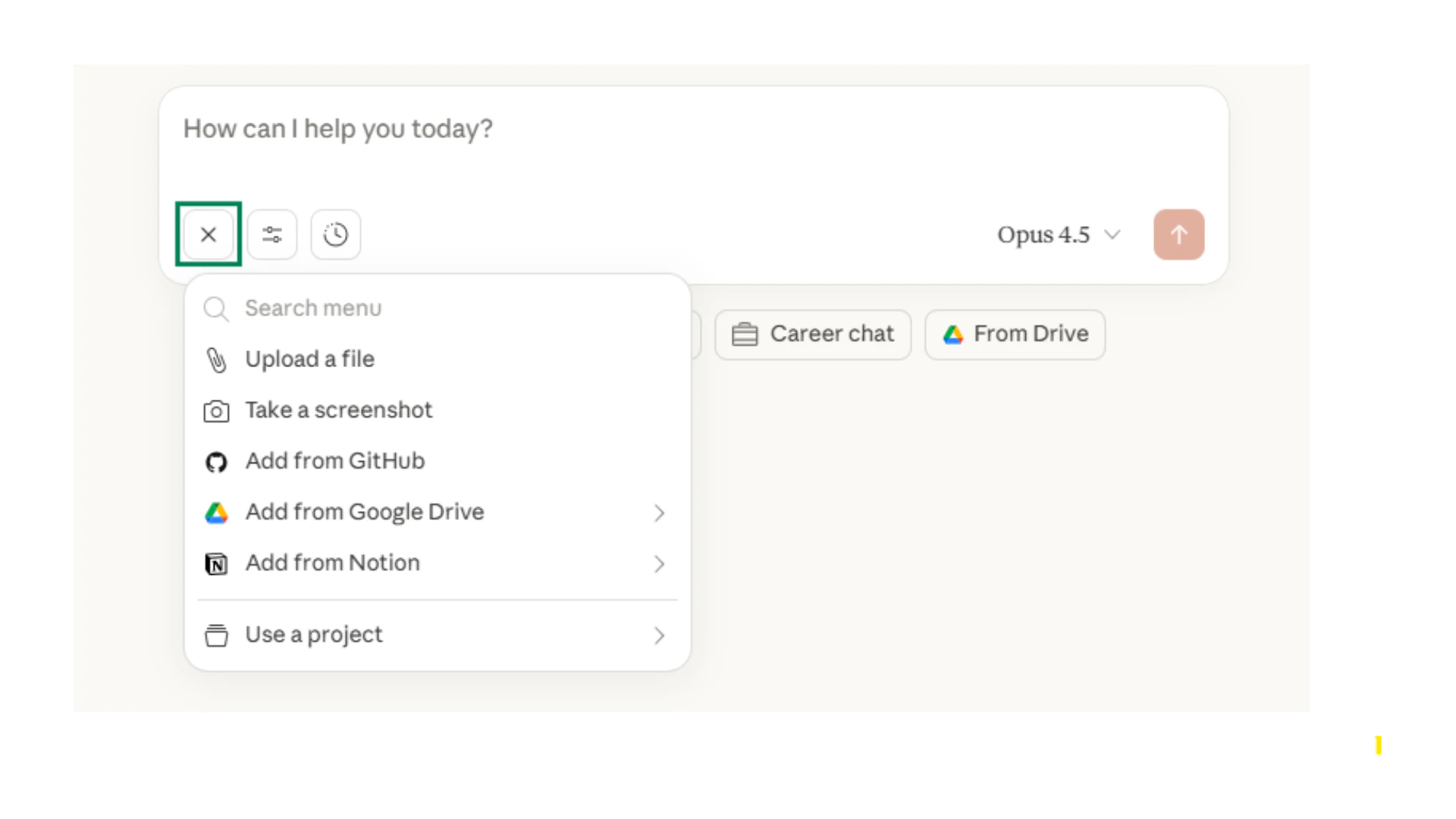
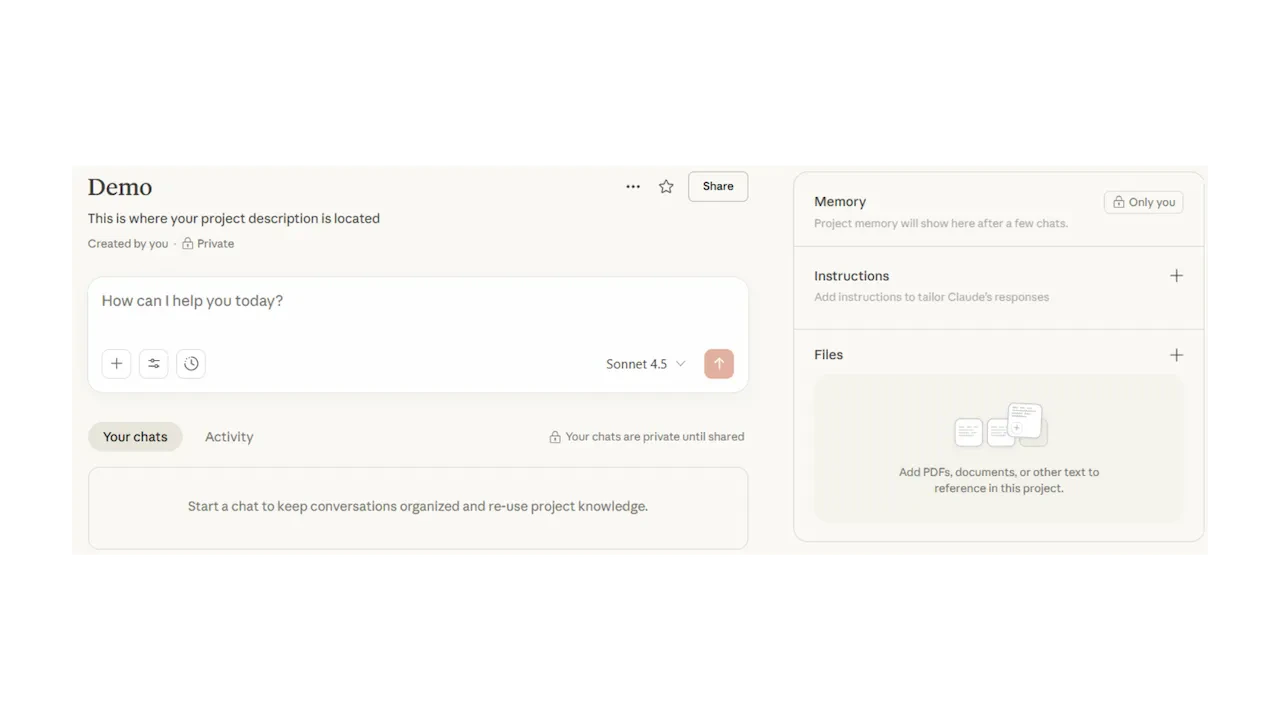
Text is not your only input. Claude can work with files, Projects, and memory to give you faster, more accurate results.File uploads
Projects
Test your understanding
Test your understanding
Advanced techniques
Once you are comfortable with the basics, these techniques help you tackle more complex tasks.Chain prompting
Chain prompting
Break complex tasks into smaller steps. Complete one step before moving to the next.
1
First prompt
“Help me brainstorm topics for a presentation about climate change”
2
Second prompt
“Now help me create an outline for a presentation about renewable energy solutions”
3
Third prompt
“Create detailed content for the first three slides of this outline”
Iterative refinement
Iterative refinement
Start broad, then narrow down based on the response you receive.
1
Initial
“Help me plan a team building event”
2
Refine
“Focus on indoor activities for 15 people with a budget of $500”
3
Finalise
“Create a detailed timeline for a cooking class team building event”
Constraint setting
Constraint setting
Add specific limitations to get focused results.
Multi-perspective prompting
Multi-perspective prompting
Ask Claude to analyse from different viewpoints.
Extended thinking
Extended thinking
For complex problems, ask Claude to think through the problem step by step before answering.
Test your understanding
Test your understanding
Claude’s unique capabilities
Claude has features that extend beyond basic chat. These help you create polished outputs and maintain context across your work.Artifacts
When you ask Claude to create documents, code, or structured content, it can generate Artifacts. These are standalone files you can view, edit, and download.
Artifact types:Claude can create Markdown documents, HTML pages, React components, SVG graphics, Mermaid diagrams, and more.
Styles
Customise how Claude writes by selecting or creating a Style. Styles adjust tone, formality, and structure to match your preferences.
Set your Style:Go to Settings, then Styles to choose from presets or create your own custom writing style.
Memory and context:
Claude can remember details from your conversations. If you want Claude to recall specific information, tell it what to remember. You can also manage saved memories in your Settings under Personalisation.
What file types can I upload?
Please note limits and capabilities continuously change and may differ from those stated above.
Quick checkpoint
Good prompting is like briefing a capable colleague. The clearer you are about what you need, the better Claude can help. Start with the frameworks, practise with different patterns, and refine your approach based on what works for your tasks. You are done with this module when you can do the following:Structure prompts
You can apply at least one framework to a real task
Apply patterns
You have used a prompting pattern from this module
Enrich inputs
You have tried uploading files or using a Project
Refine outputs
You have used follow-up prompts to improve a response
Ready to practice?
Complete the challenge by building a prompt using what you have learned