

Create visual content with ChatGPT
ChatGPT is more than a text assistant. It can generate images, build interactive webpages, and produce video clips from a written description. These creative tools sit inside the same chat interface you already use, so there is no extra software to learn. This page will show you how to:Prompt for visuals
Structure your requests so ChatGPT produces the image or video you actually need
Generate and edit images
Create images with GPT Image 1.5, manage your creative library, and make targeted edits
Build webpages with vibe coding
Turn plain language into simple, shareable webpages using Canvas and the ONE Framework
Understand the limits
Know where AI-generated content falls short so you can plan around it
Visual content prompting
To get the best results from creative AI tools, you need clear, structured prompts. Break your request into five key elements so ChatGPT understands exactly what you want.1. Subject
1. Subject
Clearly define the main focus of your image or video. This is the “who” or “what” of your creation and the anchor for all other elements.
- Who is the focus?
- What is the main person, place, or thing?
- Do you have any reference images?
2. Setting
2. Setting
Describe the environment and context. Adding details about location, time, or weather creates layers of context that help the AI generate a clearer image.
- Where is this happening?
- Is there a specific time of day?
- Should there be specific weather conditions?
3. Aesthetic
3. Aesthetic
Define the overall style, mood, and visual feel of the output. Specifying the aesthetic ensures the final product aligns with your desired outcome.
- Style: Photorealistic, Cartoon, Painting, etc.
- Mood: Cheerful, Dark, Mysterious, etc.
- Colour palette: Any specific colours?
4. Composition
4. Composition
Composition refers to how elements are arranged within the frame. Specifying framing, perspective, and point of view has a big impact on results.
- Shot type: Close-up, birds-eye, etc.
- Where is the subject placed?
5. Motion (for video only)
5. Motion (for video only)
When creating video, provide direction for movement within the scene. This element is what brings a static image to life.
- Camera movements: Pan, zoom, dolly, etc.
- Subject movement: Does the subject move?
- Overall speed: Slow, normal, fast?
- Reference image: Do you have one?
Test your understanding
Test your understanding
Image generation
GPT Image 1.5 is OpenAI’s current flagship image generation model in ChatGPT. It replaced DALL·E 3 and is integrated directly into the chat interface. The system interprets natural language descriptions and generates a corresponding image.Test your understanding
Test your understanding
Vibe coding
Vibe coding lets you turn plain language descriptions into simple, shareable webpages. You do not need software development skills. Think of it as a practical tool for visualising workflows, diagrams, infographics, and processes as basic webpages that you can share across your team.The ONE Framework
Use the ONE Framework to structure your vibe coding prompts clearly and effectively. This framework helps ChatGPT understand exactly what you want to create while keeping things simple and reducing errors.O - Objective
O - Objective
Start by clearly stating what you want to create. Be specific about the type of asset and its purpose.
N - Notes
N - Notes
Add specific details about the information that should be included.
E - Edges (Constraints)
E - Edges (Constraints)
Define the boundaries and guidelines. As you build, ChatGPT may make design decisions you disagree with. Revisit and adjust the original prompt to provide clearer constraints.Useful starting constraints:
For a non-coding audience, the real value of vibe coding lies in turning ideas and processes into visual formats you can share with colleagues or use in presentations. It makes concepts tangible and easier to discuss, rather than building complex applications.
Test your understanding
Test your understanding
Video generation
Sora is OpenAI’s text-to-video generation technology that creates short video clips from written prompts. ChatGPT Pro subscribers can access Sora 2, though it is not currently a standard feature in ChatGPT Business accounts. In Australia, Sora 2 is not yet available. OpenAI has indicated plans to expand beyond the initial United States and Canada rollout in the coming months. Sora 2 introduced major improvements. Most notably, it generates integrated audio, producing dialogue, sound effects, and ambient noise that matches the visual content. Physics simulations are also far more realistic than in previous versions.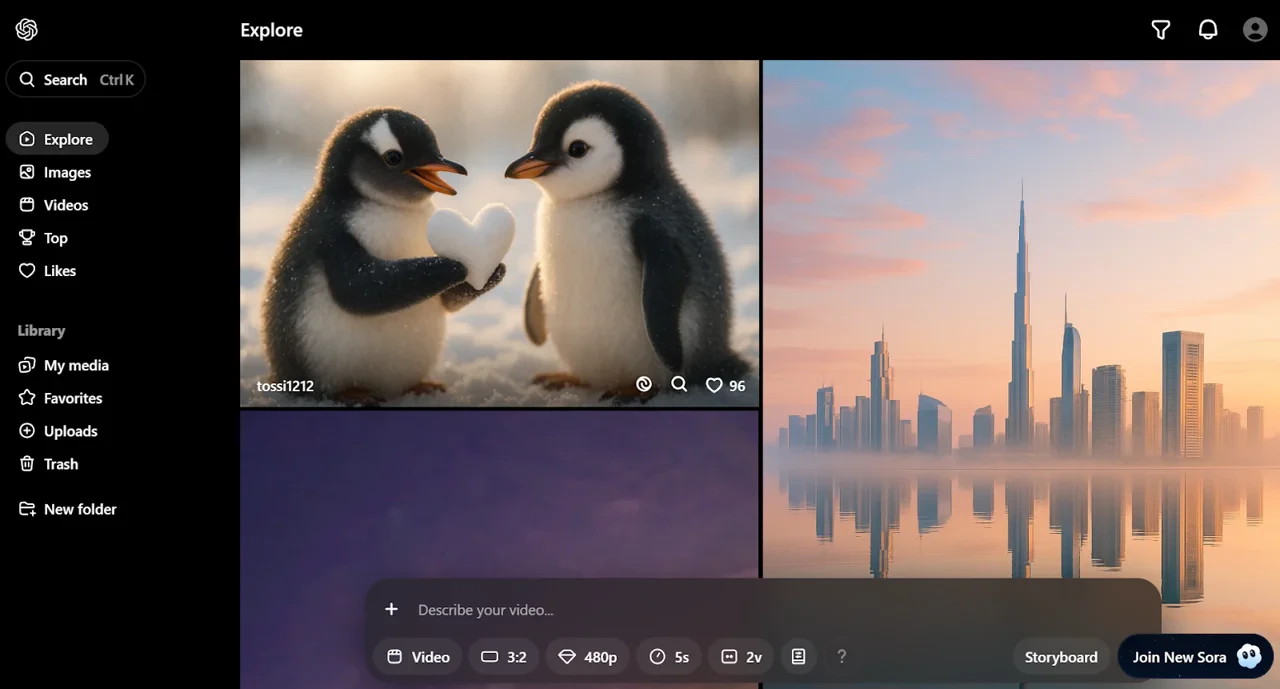
Limitations of AI for creativity
AI-generated content has clear boundaries. Understanding these limitations helps you plan around them and set realistic expectations.Mixed reactions to market-facing content
Mixed reactions to market-facing content
Using AI-generated images and videos in public or customer-facing campaigns can generate mixed reactions. Consider your audience before publishing.
The need for transparency
The need for transparency
Always disclose when you have used AI to generate content. Being open about the tools you use builds trust and manages expectations.
Complexity can create chaos
Complexity can create chaos
The more complex your prompt, the higher the chance of strange or chaotic results. This applies to vibe coding, image generation, and video generation. Start with simple, clear instructions and build in complexity progressively.
Generation can be slow with strict usage limits
Generation can be slow with strict usage limits
Speed and usage limits are likely to improve as the technology develops. Plan your creative work around current constraints.
Text renders inaccurately
Text renders inaccurately
Text output in images and videos is often misspelled or appears as random scribbles. This is an important consideration when developing visual content that includes text.
Extensive iteration is required
Extensive iteration is required
Your first attempt will rarely be your best. Achieving a result you are happy with almost always requires modifying and iterating based on the output generated.
Test your understanding
Test your understanding
Quick checkpoint (you’re done when…)
Prompt with structure
You can break a visual request into Subject, Setting, Aesthetic, Composition, and Motion
Generate an image
You created at least one image using GPT Image 1.5 in ChatGPT
Build a webpage
You used Canvas and the ONE Framework to create a simple, shareable webpage
Know the limits
You understand where AI-generated content falls short and how to plan around it
Ready to practice?
Complete the mini challenge to practise using ChatGPT’s creative tools with your own work